State: the readers and the CAPL language are verified on every CANoe file in Vector's public repositories (12 environment descriptions, 14 test units with 49 test cases, 35 CAPL files); no customer CANoe project. Building and running with CANoe4SW Server Edition, and runs with a chosen variant or parameter sets, are kit shipped: not yet run against CANoe, modelled against stand-ins that print Vector's published output. CAPL runs in your CANoe; the Editor has no CAPL compiler or runtime of its own.
Open the project
The module reads, as they are:
- environment descriptions (
venvironment.yaml, CANoe 17 and later, CANoe4SW Server Edition): databases, networks, simulation nodes with their programs, modeling libraries, system variable files and data sources; - test units (
.vtestunit.yaml) with their sources and test trees (fixtures, preparation and completion, test cases with title, id and parameters); - system variable files (
.vsysvar): namespaces, variables, limits and value tables; - CANoe configurations (
.cfg) are listed with the CANoe version that saved them and the databases beside them; their format is not published, so they are not read.
The environment's databases are CAN databases of the workspace wherever they are, so the codec, traces, bus monitor and simulation see them. The CANoe Project view in the Explorer shows each environment's nodes, networks, files and test units, with the installed CANoe4SW Server Edition and its version. Files an environment or test unit names that do not exist, databases and networks named but not defined, and names given twice are in Problems.
CAPL
.can and .cin files open as CAPL (Windows-1252 with encoding guessing):
- an outline of includes, variables (timers, message variables, constants, enumerations), event procedures, functions, test cases and test functions;
- hovers, go to definition and find references across a program and its includes, into the DBC for messages, signals and value descriptions (
$Signal,Message::Signal,vtSig_Signal::Value,on message) and into the.vsysvarfor system variables (@Namespace::Variable,sysvar::,on sysvar); - completion of events, messages, signals, value descriptions, system variables and the program's own names;
- in Problems: includes that do not exist, unclosed comments, strings and brackets, and messages, signals, values and system variables the program's databases and system variable files do not define.
A CAPL file in an environment sees that environment's databases and system variables. CANoe's compiler stays the judge; CAPL's built-in functions are not completed or checked.
Build and run in CANoe4SW Server Edition
- Point
neuralInverse.automotive.canoeToolsPathat the folder ofcanoe4sw-se,environment-makeandtest-unit-make, or leave it empty to look on PATH, then%CANoe4SWSE_InstallDir64%on Windows or/opt/vector/canoe-server-editionon Linux. SetneuralInverse.automotive.canoeArchitecturefor the architectureenvironment-makebuilds for. - Build CANoe Environment runs
environment-make; problems with a file and line go to Problems. - In the Testing view, CANoe Test Units lists each environment's test units with their fixtures and test cases, each at the CAPL
testcaseit runs. Run a unit: the Editor runsenvironment-make,test-unit-makeandcanoe4sw-se, one unit per run, as Vector's CI examples do. - Each test case takes the verdict
canoe4sw-seprints; a test case started without a verdict is an error. The run's.vtestreportis listed and, withneuralInverse.automotive.reportViewerCliPathset to Vector'sReportViewerCli, its xUnit export gives the reason a test case failed.
Each step writes its tool, version and command line to build/canoe beside the environment.
Test variants and parameter sets
Vector's YAML test units can define a variant property (for example Market with EU, US, CN) that fixtures, test cases and lists depend on, and test case lists called once per parameter vector or value combination.
- The Testing view shows each unit with its variant property and chosen value, each test case with its parameters, each list's calls as children where the format defines them, and marks tests the variant leaves out ("not in variant US") and calls not chosen.
- Problems reports variant conditions that are not comparisons joined by
||, unknown properties or values, and malformed variant properties.
Run Choose Test Variant and Parameter Sets... (Command Palette, a CANoe test's context menu, or Configure Test Profiles) to pick the variant value and then the calls of each parameterised test. The choice is kept per test unit on this machine, not written into your files. A unit with a variant asks for it when it runs.
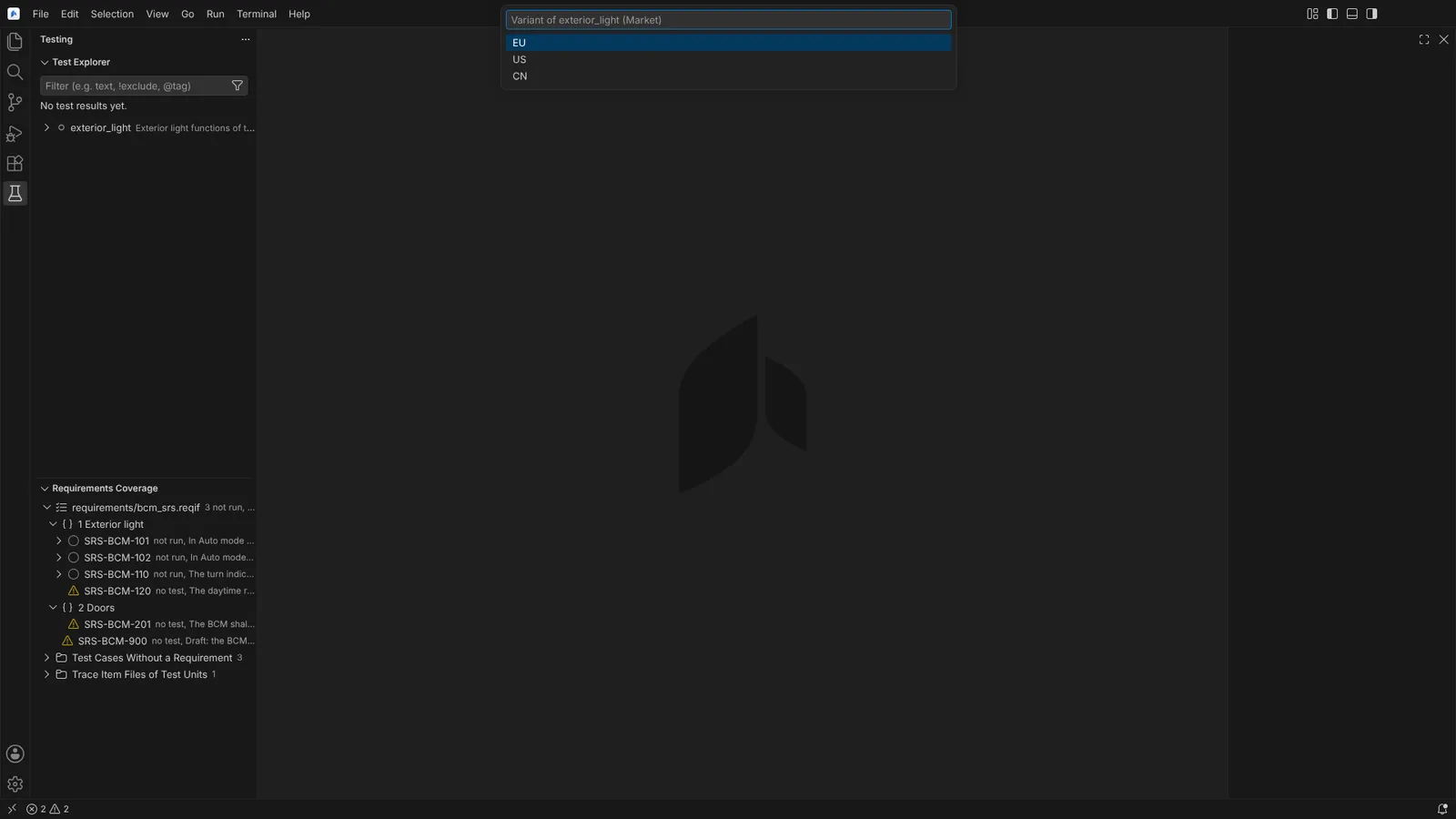 Choose Test Variant and Parameter Sets asking for the Market variant of a test unit.
A run with a variant or narrowed calls compiles a test unit derived from yours, written into build/canoe/variants/<test unit>/ with every path made absolute, the variant property removed and only the chosen entries and calls; each derived file says it is generated and from which file. A choice that cannot be made without guessing stops the run with the reason.
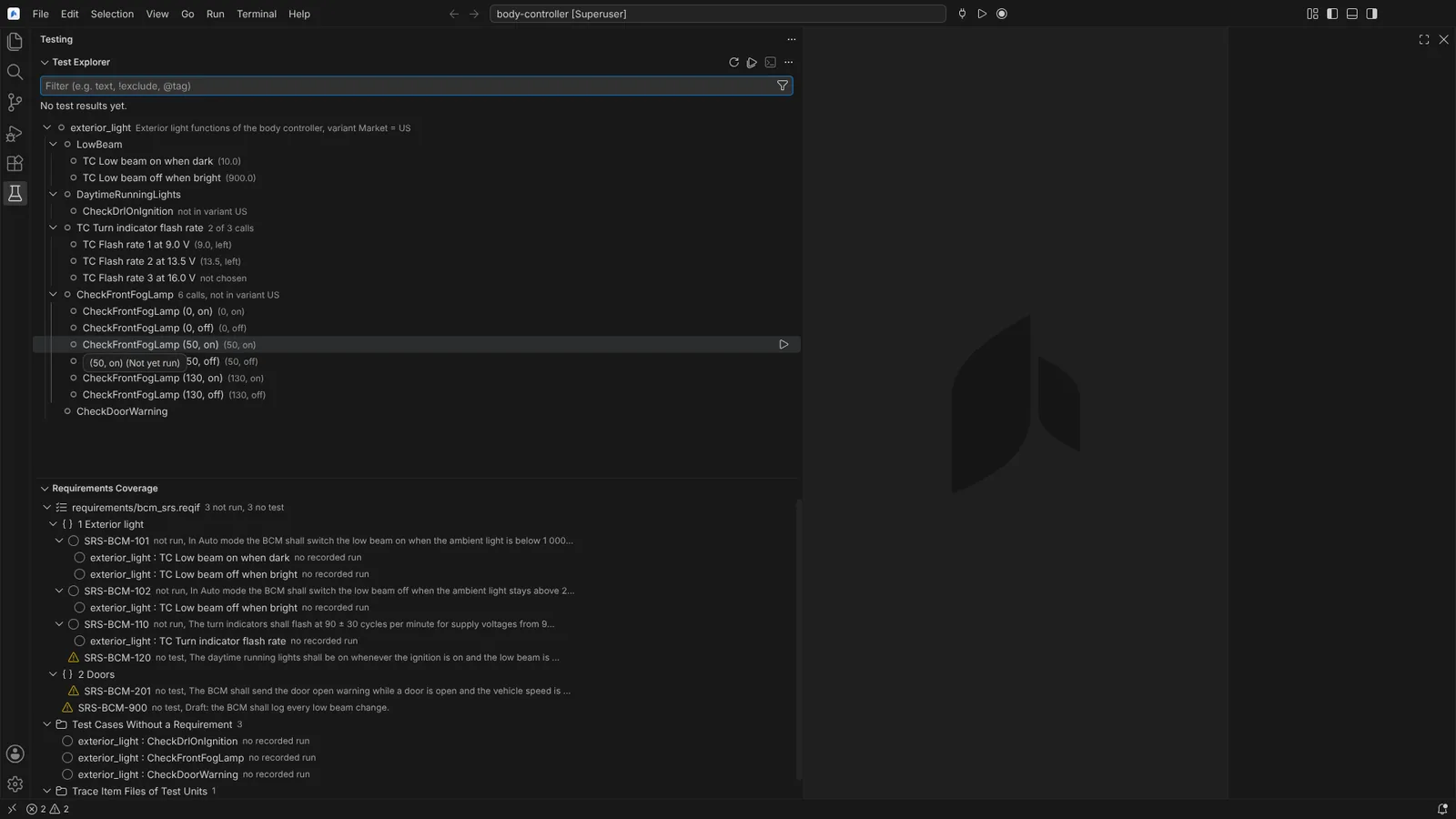 The Testing view with a test unit at Market = US, a list's calls with one not chosen, and the tests outside the variant marked.
Every run writes a record into build/canoe/results/<test unit>/<start time>.json: files, the derived unit, times, canoe4sw-se's version, the variant and parameter sets, the outcome, reports, and each test case with its verdict and reason. Requirements Coverage takes each test's latest result from these records (see Requirements coverage). Agents read variants with testVariants and choose a run with chooseTestRun.
Not verified: the output of canoe4sw-se --version and the words it prints for failed and inconclusive verdicts have not been seen; how CANoe4SW takes a variant value is not published, hence the derived unit. The calls of sequential and pairwise lists are made by test-unit-make, as the order is not stated in the format.