Verification state: the map is the module's own reader of JCL, COBOL and scheduler exports, verified on Linux on the payroll project, a 17-member accounts application written for the test (batch, Db2 under IKJEFT01, CICS, in-stream and cataloged procedures, a GDG passed between two jobs), AWS CardDemo with its Control-M and CA 7 exports, and a generated estate of 37,601 members. It has not been checked in the running app on a customer's repository.
The Mainframe Application view
The Mainframe Application view in the Explorer answers "what runs what" without IBM Application Discovery or IDz's program control flow. It lists:
| Entry | Expands to |
|---|---|
| Jobs | Steps with their program and DDs, and the data sets each DD names. Procedures are expanded: in-stream and cataloged, symbols, step overrides and additions |
| Programs | Run by (job steps), called by, calls (CALL literal, CICS LINK and XCTL; dynamic calls flagged), copybooks with nesting, files with their DDs and the data sets bound in each step, Db2 tables with SELECT, INSERT, UPDATE and DELETE |
| Copybooks | Used by, and the copybooks it copies |
| Data sets | Created, written, read and deleted by steps across jobs, with generations and backward references resolved |
| Db2 tables | The programs that read and change them |
A PROGRAM-ID declared by two members is marked in Problems.
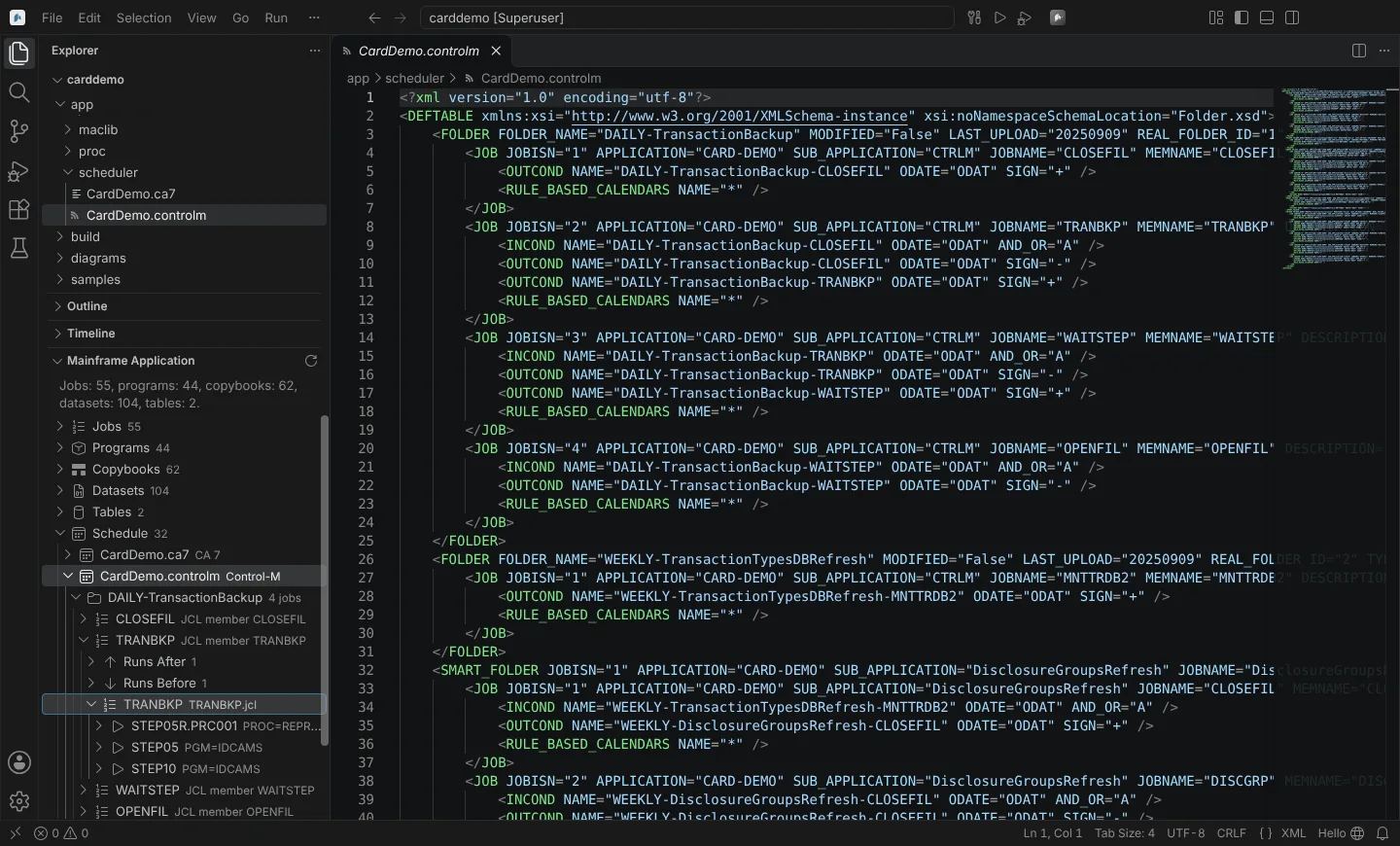 The Mainframe Application view on AWS CardDemo, with a Control-M schedule expanded to a job's predecessor, successor and procedure step.
The batch schedule
Control-M XML exports and CA 7 LJOB listings in the project are read: each job with its JCL member and the jobs it runs after and before. Control-M calendars and times, and CA 7 requirements other than triggers, are not read.
Impact of a change
| Command | Where | Answers |
|---|---|---|
| Show Impact of This Copybook | A copybook in the Explorer or editor | The programs that copy it, at any depth, and the job steps that run them |
| Show Jobs Running This Program | A program | The job steps that run it, directly or through static CALLs |
| Find Usages | An entry in the view | Where it is used |
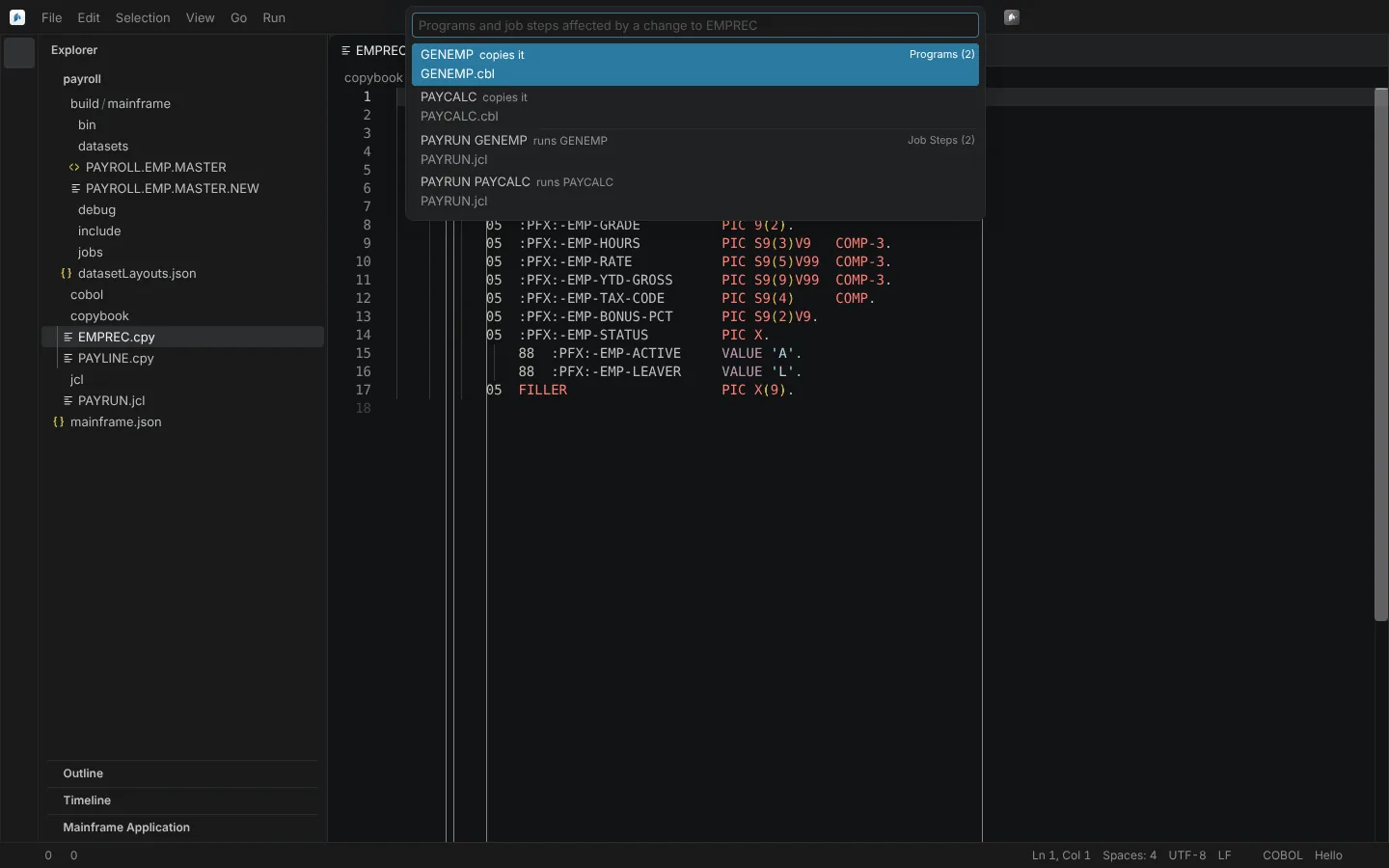 Show Impact of This Copybook on a sample copybook: the two programs that copy it and the two job steps that run them.
Agents get the same answers as typed methods; see Agents.
Indexing and limits
The map is indexed the first time the view opens and kept current file by file. Refresh Application Map indexes again.
| Setting | Default | Meaning |
|---|---|---|
neuralInverse.mainframe.index.maxMembers | 50,000 | Members indexed; the view shows any truncation |
neuralInverse.mainframe.detection.maxFolders | 20,000 | Folders searched for a project |
Measured on Linux: CardDemo's map in 0.34 s; the first map of the 37,601-member estate in 12.9 s; 3,024 members indexed with no event-loop stall over 250 ms. Deep CALL graphs are memory-heavy (about 700 MB in a pathological case).
The map needs a project: a window with only a z/OS connection has no map. Members of host projects are included in it.