Verification state: verified on Linux with COBOL Check 0.2.19 (Apache-2.0, your own install), Java 21 and GnuCOBOL 3.1.2 on the payroll sample: its test file passes 12 of 12 checks, a failing test reports expected and actual at each line, a syntax error stops at COBOL Check's line, a divide by zero ends the program with earlier checks reported, and nothing is written outside the program's folder under the build folder. Run and debug were checked in the running app. Not verified on Windows or macOS. COBOL Check reads fixed-format programs only.
Write tests
COBOL Check tests are .cut files in a folder per program under the project's tests folder (by default src/test/cobol), for example tests/PAYCALC/GrossPay.cut. .cut files open as the COBOL Check language.
Run them in the Testing view
- Open the Testing view. Tests are listed by program, grouped as COBOL Check groups them, down to each test case, at their lines.
- Run a program's tests. They run through COBOL Check and GnuCOBOL.
- A failed EXPECT or VERIFY shows at its line with expected and actual, as a diff.
- A test file COBOL Check cannot parse, or a test program that does not compile or ends early, errors its test cases with the reason.
The first line of a run says the results are GnuCOBOL's.
Debug a test
Debug with COBOL Check runs the merged program under the workstation debugger. Breakpoints in the program, its copybooks and the .cut files stop there, and the call stack is in your files. A compile error of the merged program shows on the test case, at the line of the .cut file or the program.
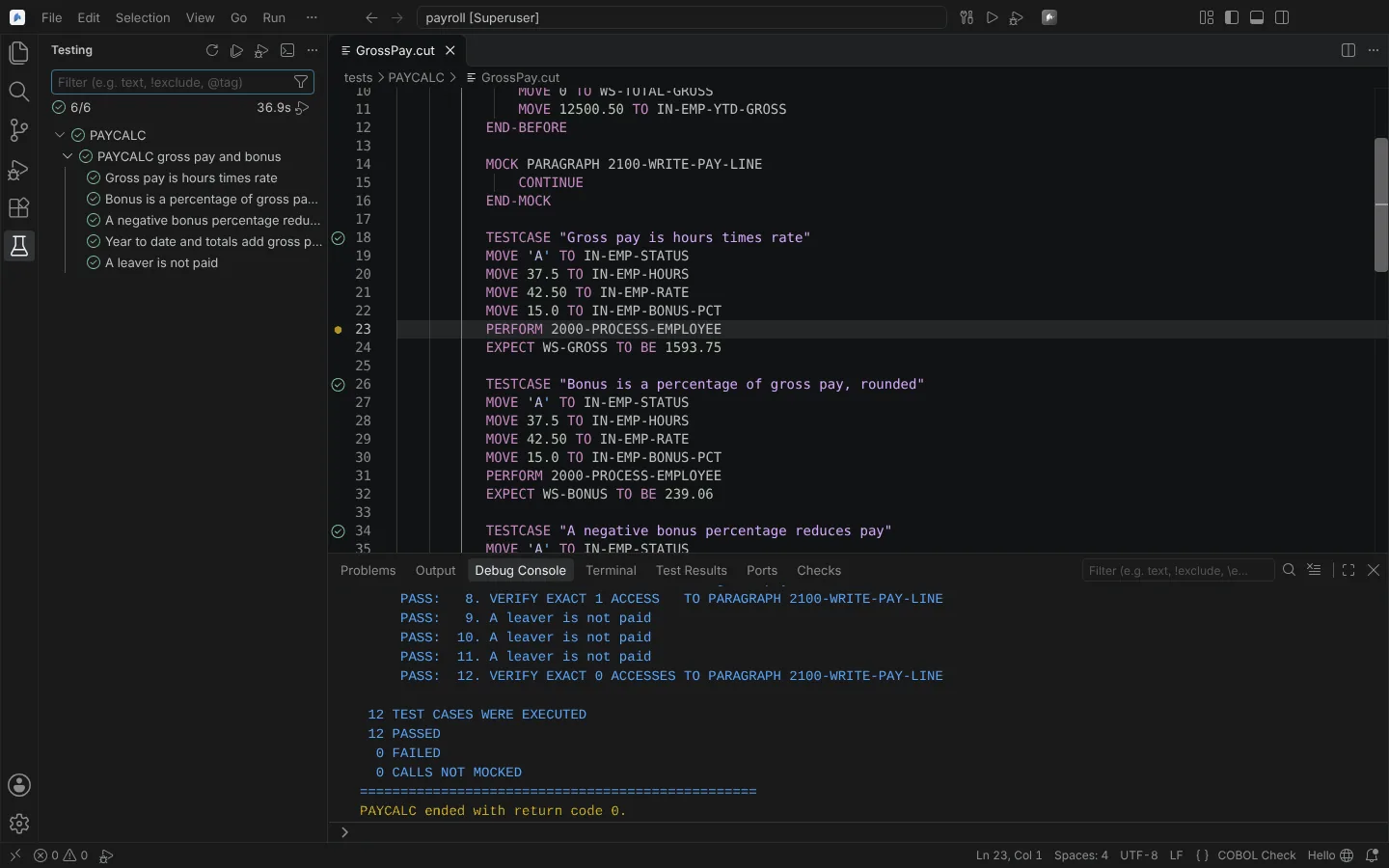 COBOL Check tests in the Testing view after a debug run, all 12 checks passed.
Agents can follow test runs through the module's test service. Each run writes a run record.