In many teams some engineers stay in IAR Embedded Workbench, Keil uVision or STM32CubeIDE. The module edits their project files in place, so the project keeps working there: a save changes only the lines of what you changed, and every other byte of the file is kept.
Verification state: byte-identical saves and pinned diffs verified on Linux on public FreeRTOS demo projects (IAR project file versions 2, 3 and 4; uVision projects for Arm Compiler 5 and 6) and on ST's STM32CubeF4, G4 and H7 example projects. The edited projects have not yet been opened or built in IAR Embedded Workbench, Keil MDK or STM32CubeIDE; the iar-keil-build and stm32cubeide-build kits build a project before and after an edit to check that.
The Firmware Project view
The Firmware Project view in the Explorer lists the IAR workspaces (.eww) and projects (.ewp), the Keil projects (.uvprojx) and the STM32CubeIDE projects (.cproject) of the workspace, with their configurations or targets, groups and files. A group or file excluded from a configuration says so, for example "excluded from Release".
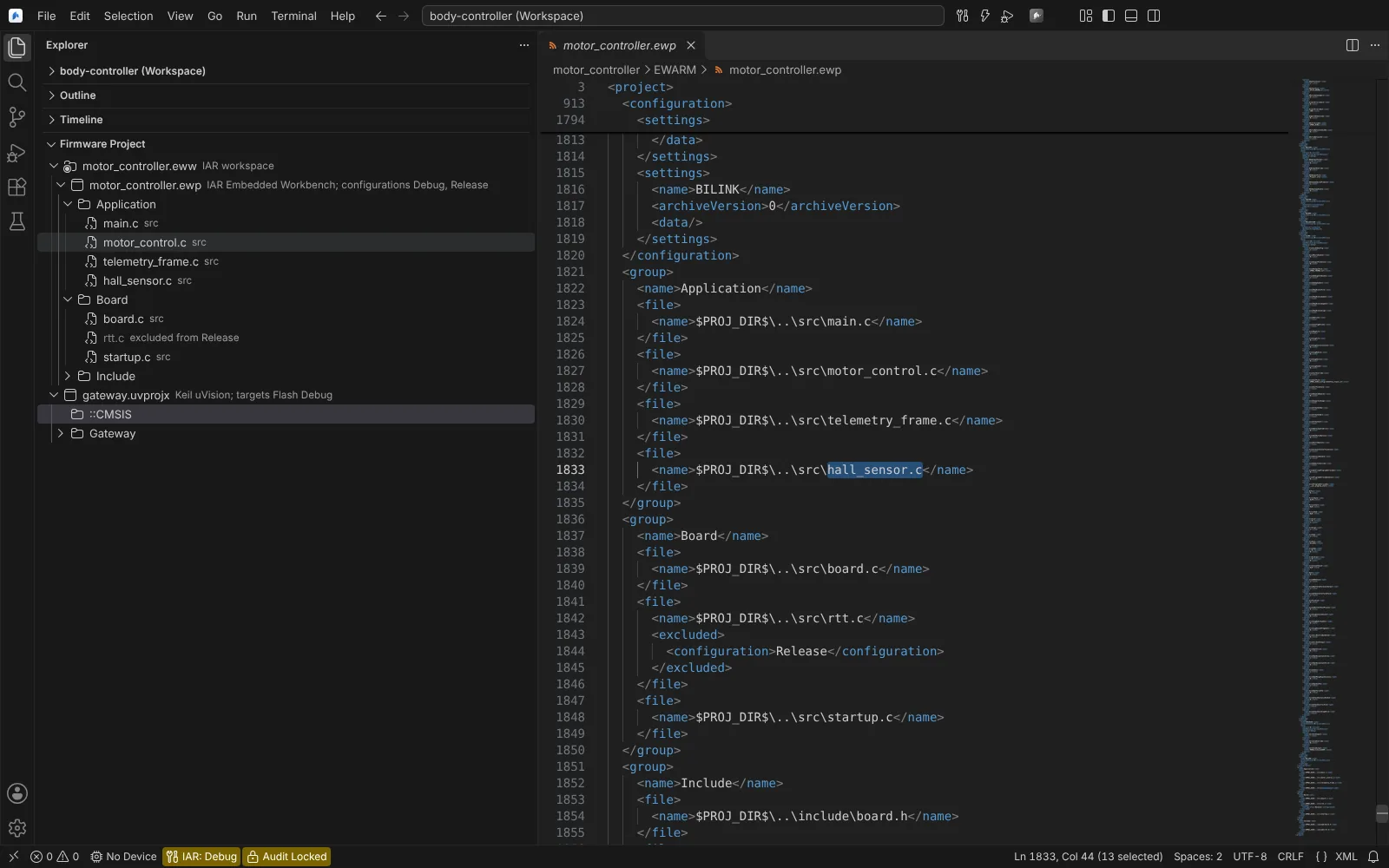 The Firmware Project view with an IAR workspace, its project groups and files, a file excluded from Release, and a Keil project; the .ewp shows the added hall_sensor.c line.
Right-click an entry for its actions:
| Entry | Actions |
|---|---|
IAR workspace (.eww) | Add Existing Project..., Open Workspace File |
| Project | Options..., Add Top-Level Group..., Open Project File, Remove from Workspace... (IAR) |
| Group | Add Files..., Add Group..., Exclude from Build..., Remove Group... |
| File | Open File, Options for File..., Exclude from Build... (IAR), Remove from Project... |
- Add Files... and Add Group... add to every configuration or target. A new group needs a name; its files are chosen next.
- Exclude from Build... picks the IAR configurations that do not build a group or file. It is offered when the project has more than one configuration.
- Remove... changes only the project file; nothing is deleted from disk.
- STM32CubeIDE projects take their sources from the project's folders and
.project, so the view shows their configurations and options but no file list to edit.
The Options editor
Options... in the view, or Open Vendor Project Options, opens the project's options as an editor, grouped as the vendor's Options dialog groups them, with a Configuration picker. Options you can edit appear as fields; every other option is shown as stored, under the name the project file uses, in a collapsed list. After a save, a note says what was written, for example "only the changed defines line".
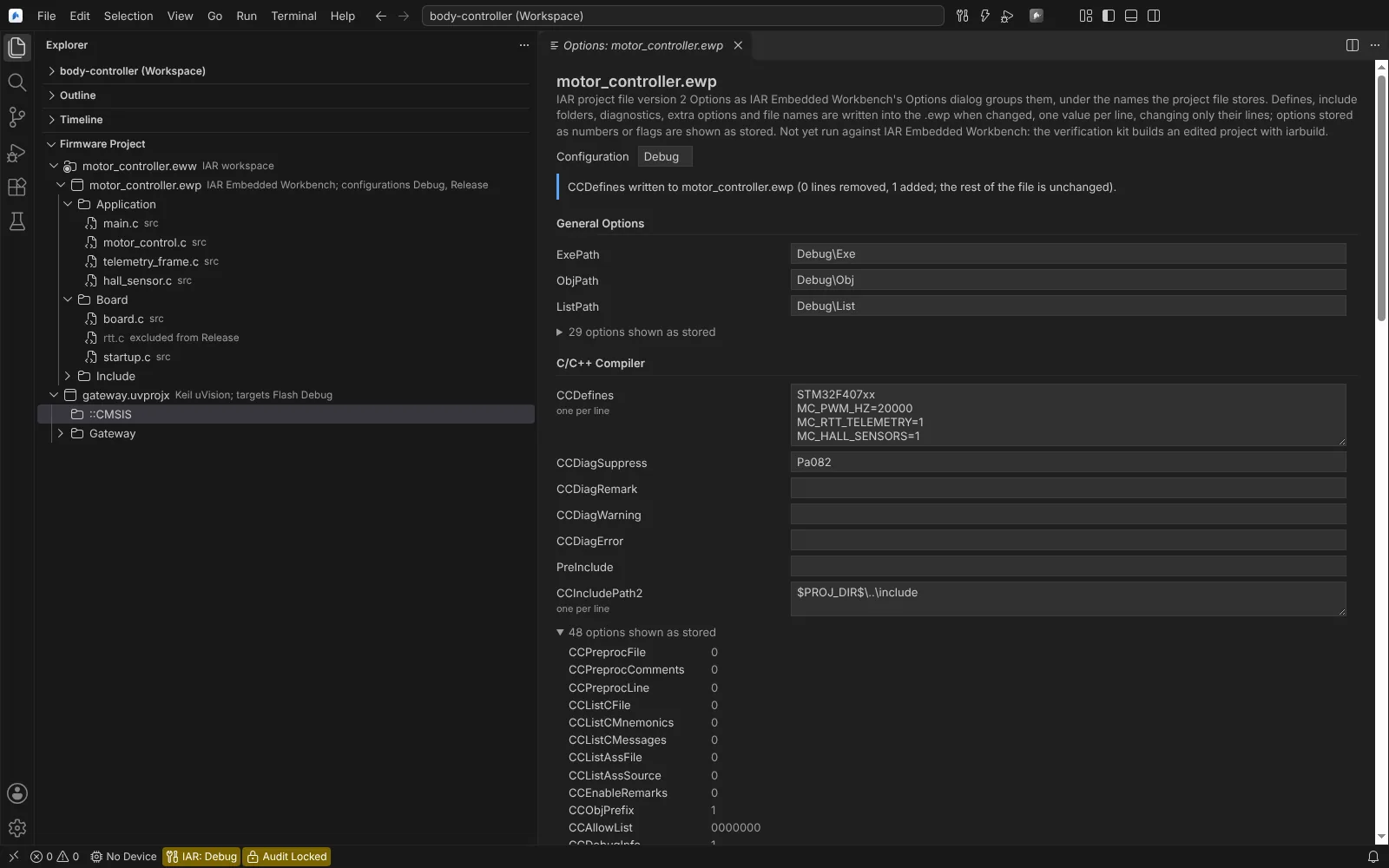 The options of an IAR .ewp project edited in place, with a note that only the changed defines line was written.
| Project | Editable per configuration or target |
|---|---|
IAR .ewp | Defines, undefines, include paths, misc and extra controls, diagnostics, linker file and output names |
Keil .uvprojx | Defines, undefines, include paths, misc controls and diagnostics, for C/C++ and the assembler (per file where the file has its own option block), linker file and output names |
STM32CubeIDE .cproject | Defines, include paths, other flags, libraries, library paths, optimisation level and the linker script, written in STM32CubeIDE's own form |
Optimisation, language and warning level of IAR and Keil projects are shown as stored and stay read-only until the iar-keil-build kit pairs stored values with compiler flags.
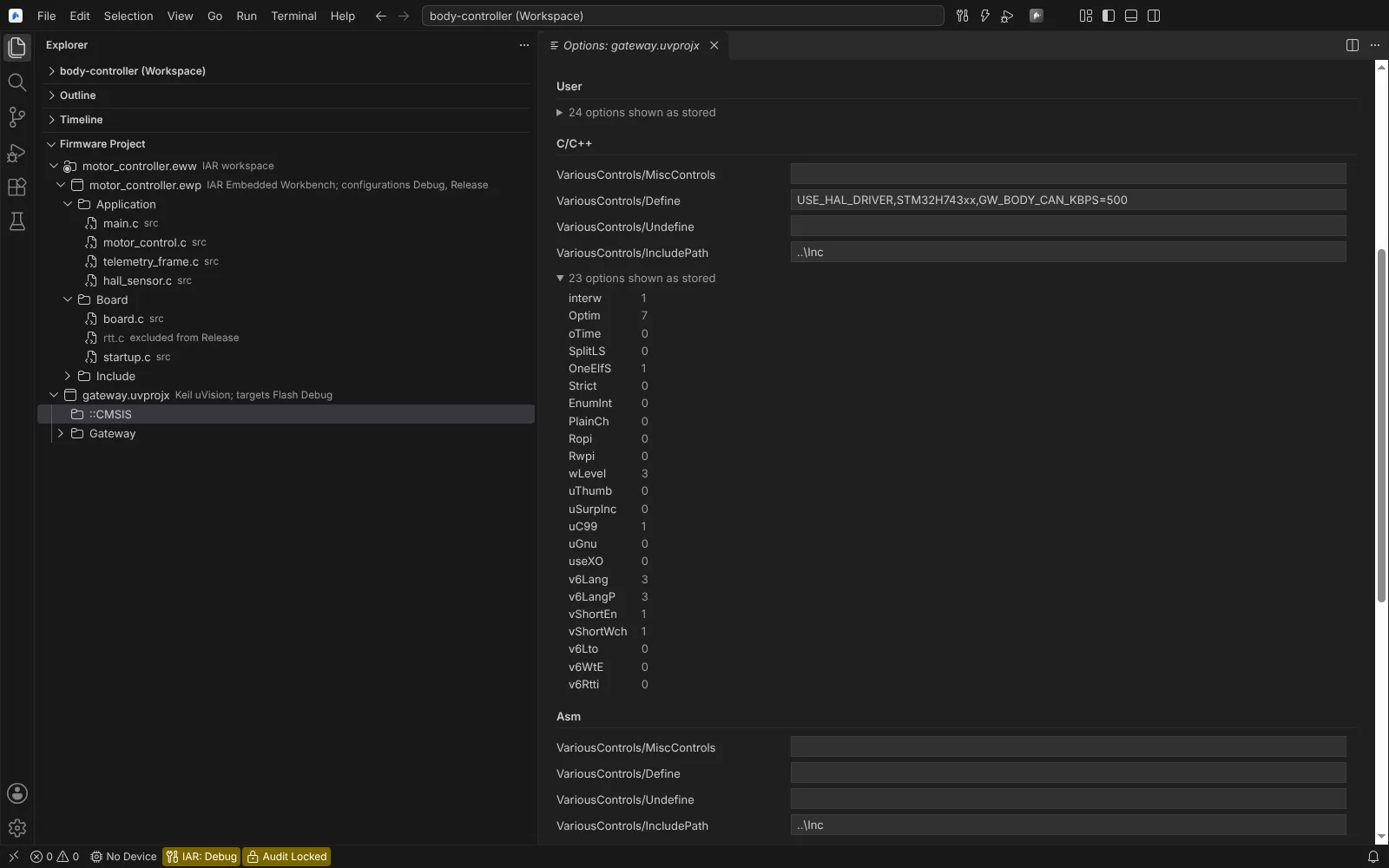 The options of a Keil uVision target: C/C++ defines and include paths as fields, the other 23 options shown as stored.
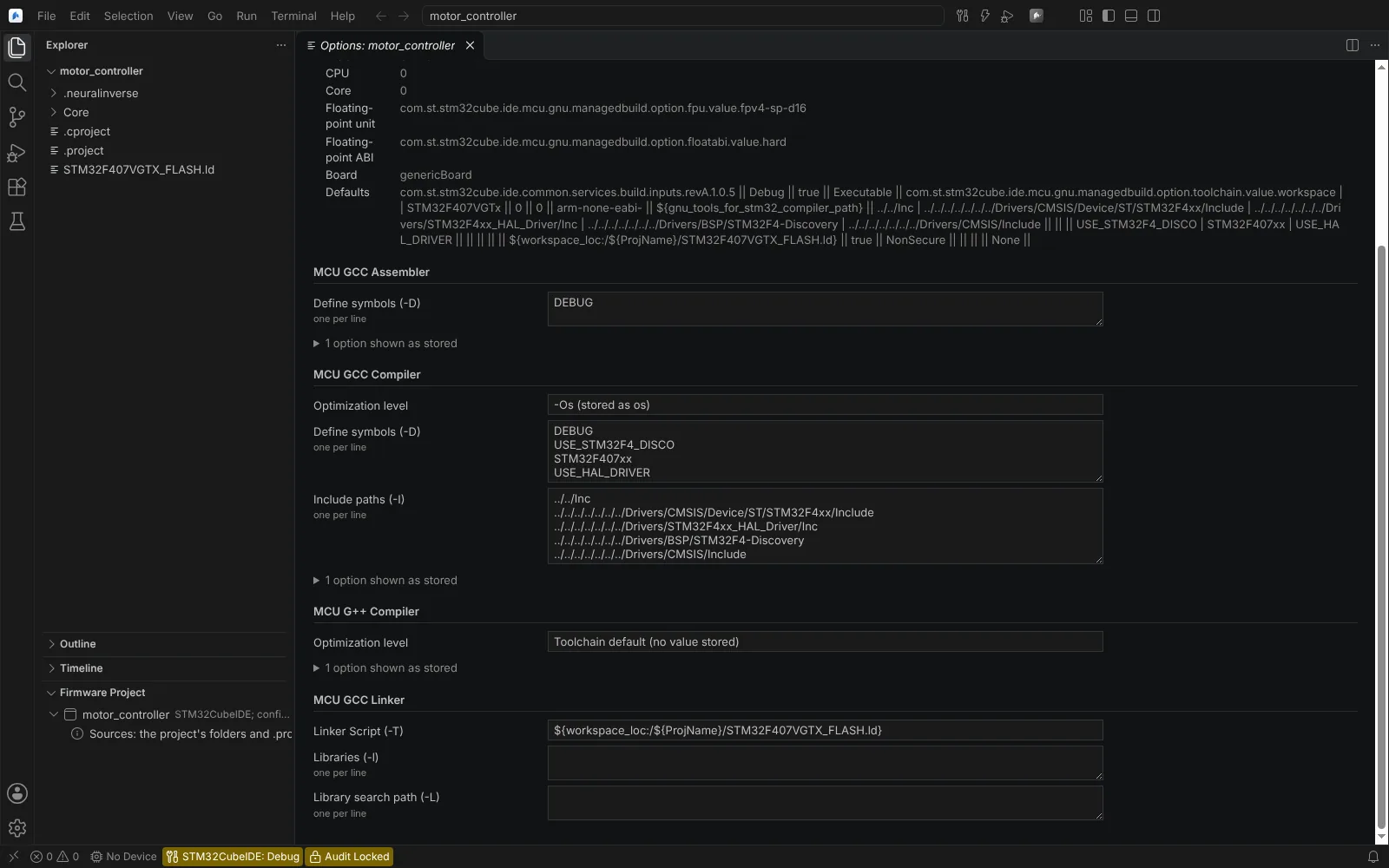 The options of an STM32CubeIDE Debug configuration: the MCU settings as stored, then the assembler, compiler and linker options with the optimisation level and defines as fields.
After an edit, the in-place build uses the changed project, and for the active IAR configuration clangd reads the new compile commands.
State per vendor
| Vendor | Verified | Not verified |
|---|---|---|
| IAR | Byte-identical saves on public demo projects (Linux); Electron rendering; used in the running app | Opening the edited project in IAR Embedded Workbench (kit iar-keil-build) |
| Keil | Byte-identical saves on public demo projects (Linux) | Opening the edited project in uVision (kit iar-keil-build) |
| STM32CubeIDE | Byte-identical saves on ST's example projects; option ids and values from real .cproject files of STM32CubeF4, G4, H7 and U5 (Linux) | Opening the edited project in STM32CubeIDE (kit stm32cubeide-build) |
Agents can read and edit vendor projects too (Read Vendor Project, Edit Vendor Project); an edit runs only after you confirm the listed changes, and nothing is written when any edit is refused.