The module reads the device's CMSIS-SVD file and shows its peripherals, registers and bit fields where you need them, as Keil's System Viewer, IAR's Register window and STM32CubeIDE's SFRs view do.
Where registers appear
- The Registers editor, opened from any
.svdfile or with Browse Device Registers: peripherals, registers and fields with their descriptions, addresses and access. - A hover in C and C++: hover
GPIOA->MODERto see the peripheral, register and field details, with a link to open them in the Registers editor. - A Peripherals scope in the Variables view while debugging, read at each halt and writable, next to the core Registers scope.
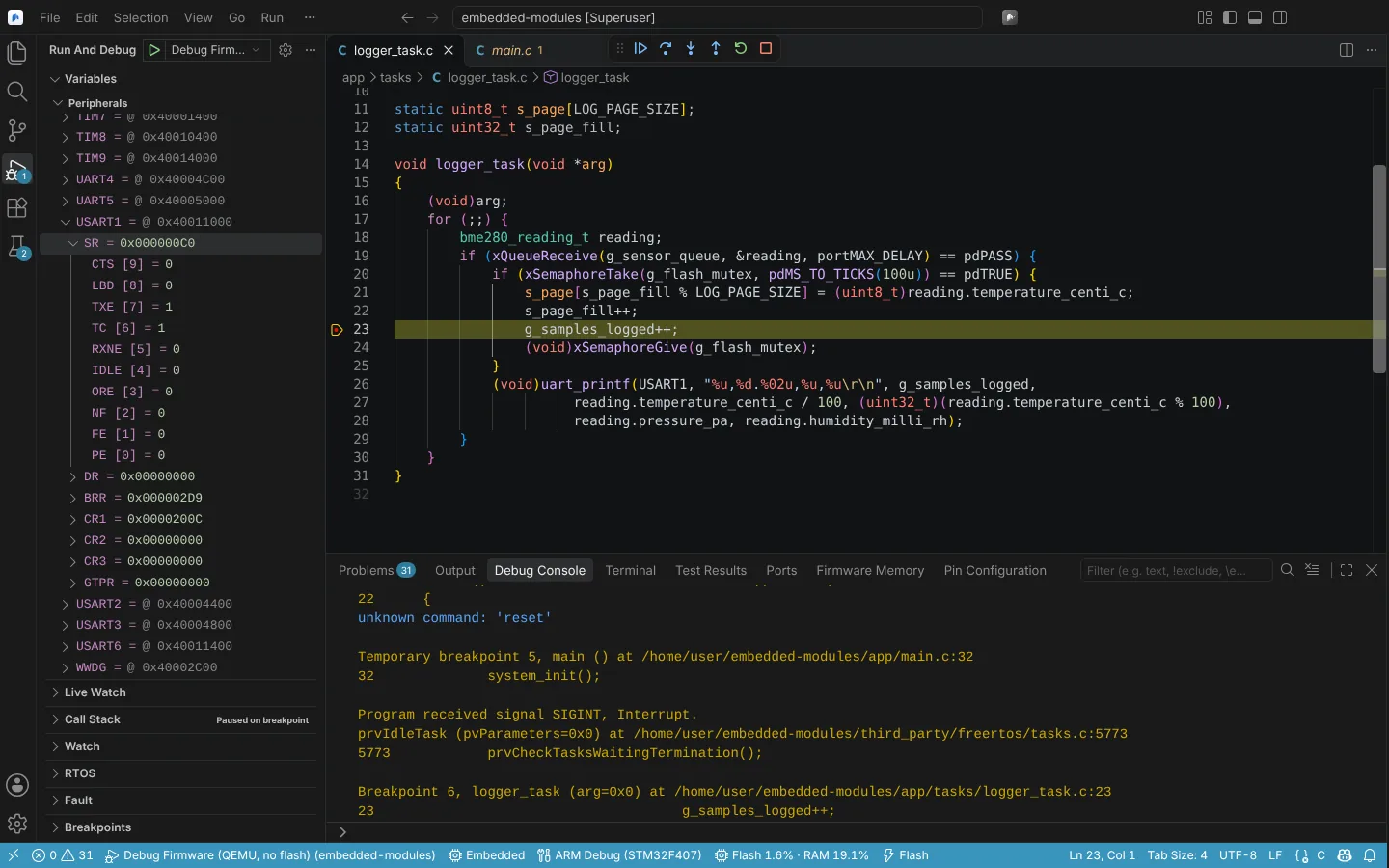 The Peripherals scope in Variables while debugging, with a USART status register expanded into its bit fields.
Which SVD file is used
neuralInverse.embedded.svdFile, absolute or relative to the CMake source folder, or a launch configuration'ssvdFile;- else the SVD file of
neuralInverse.embedded.devicefrom its installed device family pack (Device packs, pins and clocks); - else the first
.svdfile in the project.
Right-click an .svd file in the Explorer and choose Use as SVD File for Debugging to set it. In a TRACE32 session the Peripherals scope also comes from the SVD file.
State: unit and rendering tests with an SVD fixture of a few peripherals; the hover verified with fakes only. In the running app on Linux, ST's STM32F407 SVD (78 peripherals) was shown with two overlays and the Peripherals view of a QEMU session. A full vendor SVD file (load time, size) and the Peripherals scope on a live target are not verified.
Add registers to the device
For an ASIC or FPGA on the memory bus, such as a gate driver on the FSMC, or an IAR register override, Add Registers to Device (SVD or IAR .ddf)... adds files to neuralInverse.embedded.svdOverlays, as IAR C-SPY's SFR Setup adds registers:
- CMSIS-SVD files with your own peripherals;
- IAR device description files (
.ddf): their[Sfr]registers,[SfrGroupInfo]groups and[SfrInclude]includes.
The added peripherals appear with the device's in the Registers editor and the Peripherals scope. A peripheral with the name of one of the device's replaces it.
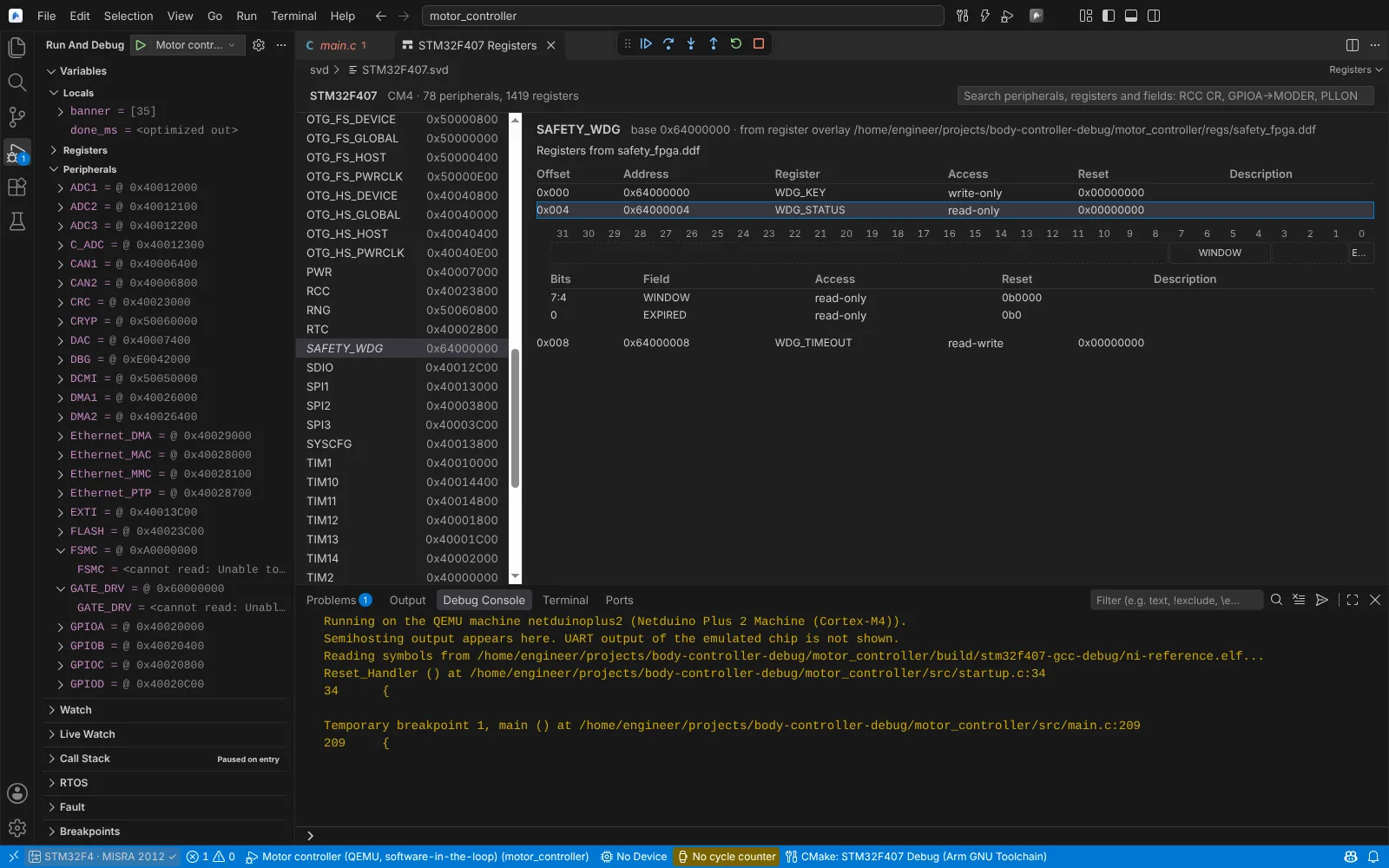 The Registers editor showing a peripheral added from an IAR .ddf overlay file next to the device SVD peripherals.
State: unit and Electron tests; the running app with ST's STM32F407 SVD and two overlays. The .ddf reader is not yet verified against IAR Embedded Workbench or an IAR-shipped file, and overlay registers have not been read on a target.