Nothing on this page has been run on a board. The built-in logic analyser is verified in simulation and synthesis. The vendor paths are kit shipped: run on tclsh stand-ins for Vivado's hardware manager, quartus_stp, System Console and Libero, through the Editor's real process host, and waiting for kit reports from testers with the boards. Nothing is verified on Windows.
Every change to a running board asks you first.
The built-in logic analyser
For any FPGA, Add Logic Analyzer... writes a logic analyser core for the signals you name (with their widths), the sampling clock's frequency, a depth and a baud rate. The core is plain Verilog-2005 generated by the Editor, clean under Verilator's -Wall, that records into block RAM and talks over a UART, so it carries no third-party licence into your design. Its configuration is recorded in the file it writes, so the Editor finds the cores among your sources.
Open Logic Analyzer:
- Choose the serial port. The Editor checks that the core on the port is the one built (its width and depth).
- Set a condition per probe: a value with don't-care bits (
0x3f,0b10x1, decimal), a rising or falling edge, or anything. The core triggers when every condition holds. - Set the share of samples kept from before the trigger (remembered per core).
- Arm the core, or trigger it at once. The editor shows armed and triggered, reads the samples and opens them in the waveform viewer with the trigger marked.
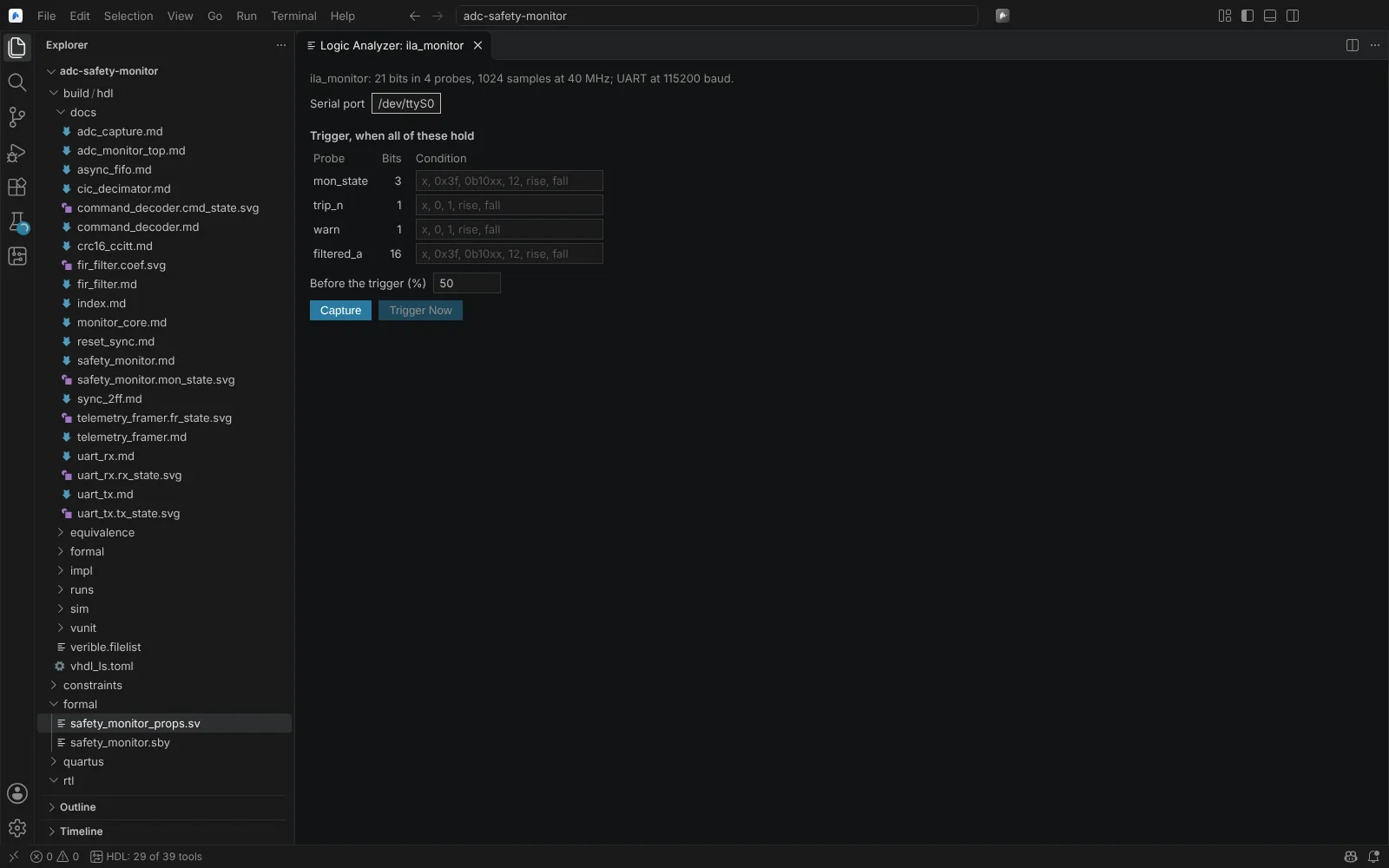 The Logic Analyzer editor with the serial port, a trigger condition per probe and the share of samples before the trigger
State: verified (Linux) in simulation (Icarus Verilog against the Editor's protocol code: values, edges with don't-care bits, forced triggers) and in synthesis for iCE40 into block RAM. Not run on a board.
Vivado: ILA, VIO and lab tools
A Vivado target's debug block in hdl.json lists the nets for an ILA that the flow inserts after synthesis (create_debug_core, connect_debug_port), the sample clock and depth; the probes file (.ltx) is written beside the bitstream. Trigger in and out, capture control and the advanced trigger are declared there too.
Open Hardware Debug (ILA, VIO, Signal Tap, Reveal) opens a persistent Vivado Tcl session:
- Connect to a local or lab hw_server (host and port, and the JTAG target).
- Program Device (with its SHA-256 confirmed) or Load Probes Only; Refresh Cores lists the ILA and VIO cores and their probes.
- ILA: per-probe trigger and capture conditions, AND, OR, NAND or NOR, windows, window depth, trigger position and timeout. Run Trigger or Trigger Immediately; Stop ends a waiting session. The capture is written as CSV and VCD and opens in the waveform viewer with the trigger marked.
- Trigger state machines: New State Machine creates a program from the core's probes; mistakes (such as a misspelt probe) go to Problems; Check with Vivado compiles it with
run_hw_ila -compile_only. - VIO: Read the inputs and Write Outputs.
- JTAG-to-AXI: reads and writes in a table with each response (
create_hw_axi_txn,run_hw_axi); every write is confirmed, naming the target, JTAG chain, AXI master, addresses and data, and read back. - System Monitor (XADC): temperatures and supply voltages with minimum, maximum and alarm limits, refreshed by hand or on a timer.
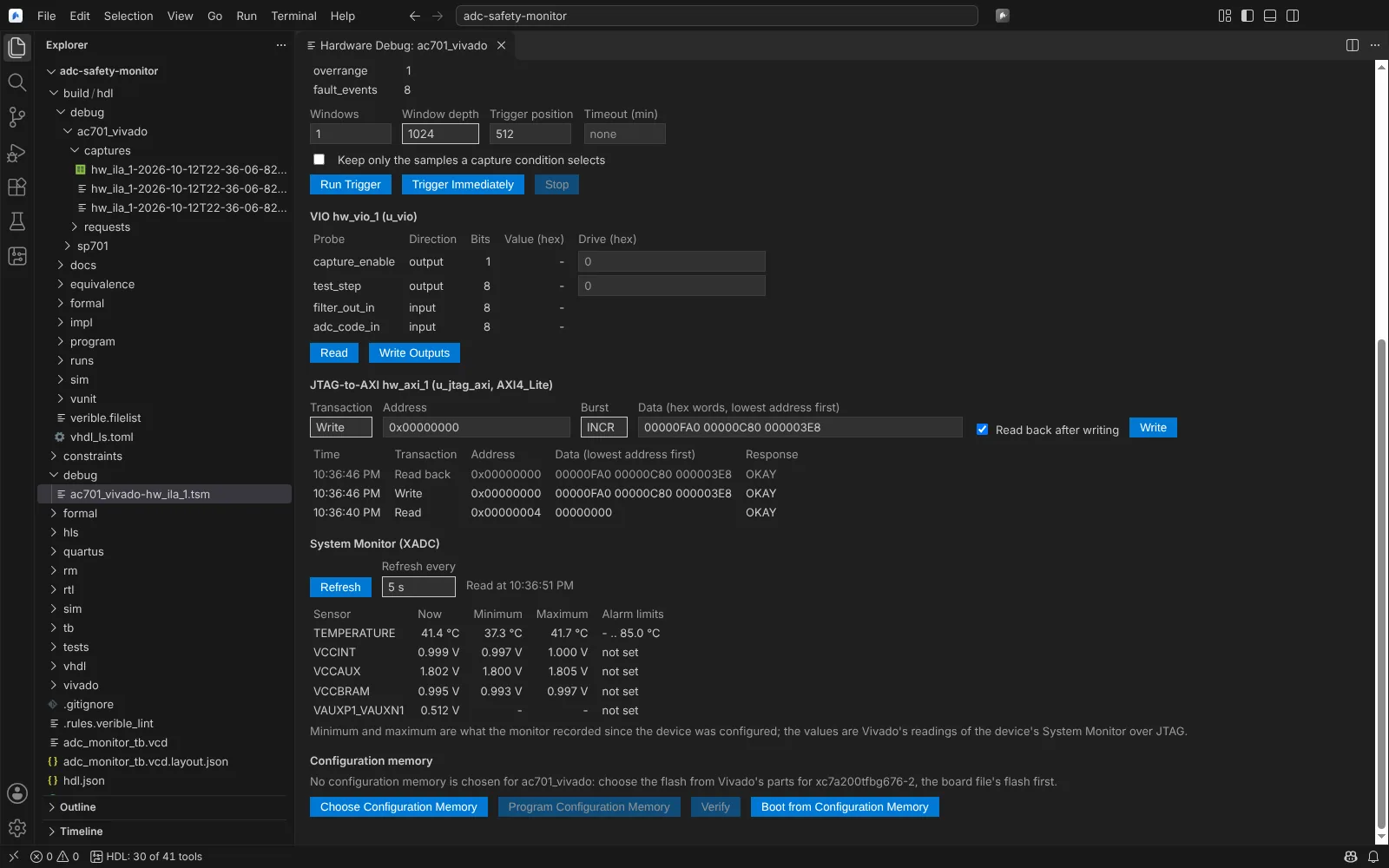 Hardware Debug on a Vivado target with VIO probes, JTAG-to-AXI transactions and System Monitor readings
State: kit shipped (needs an SP701 or AC701). Some property names and the CSV layout come from AMD's documentation and are checked by the kit.
Quartus: Signal Tap and in-system tools
- Signal Tap: a Quartus target's
debugnames the Signal Tap file the flow compiles in. Captures runquartus_stp -tand export VCD and CSV, opened in the waveform viewer. Intel documents no.stpformat, so a.stpis saved once in Signal Tap and not edited in the Editor. - In-System Sources and Probes: drive and read probes on the running FPGA in a
quartus_stpsession; each drive is confirmed and read back. - In-System Memory Content Editor: read and write on-chip memory; every write is confirmed, read back and compared; memories are saved as MIF or HEX.
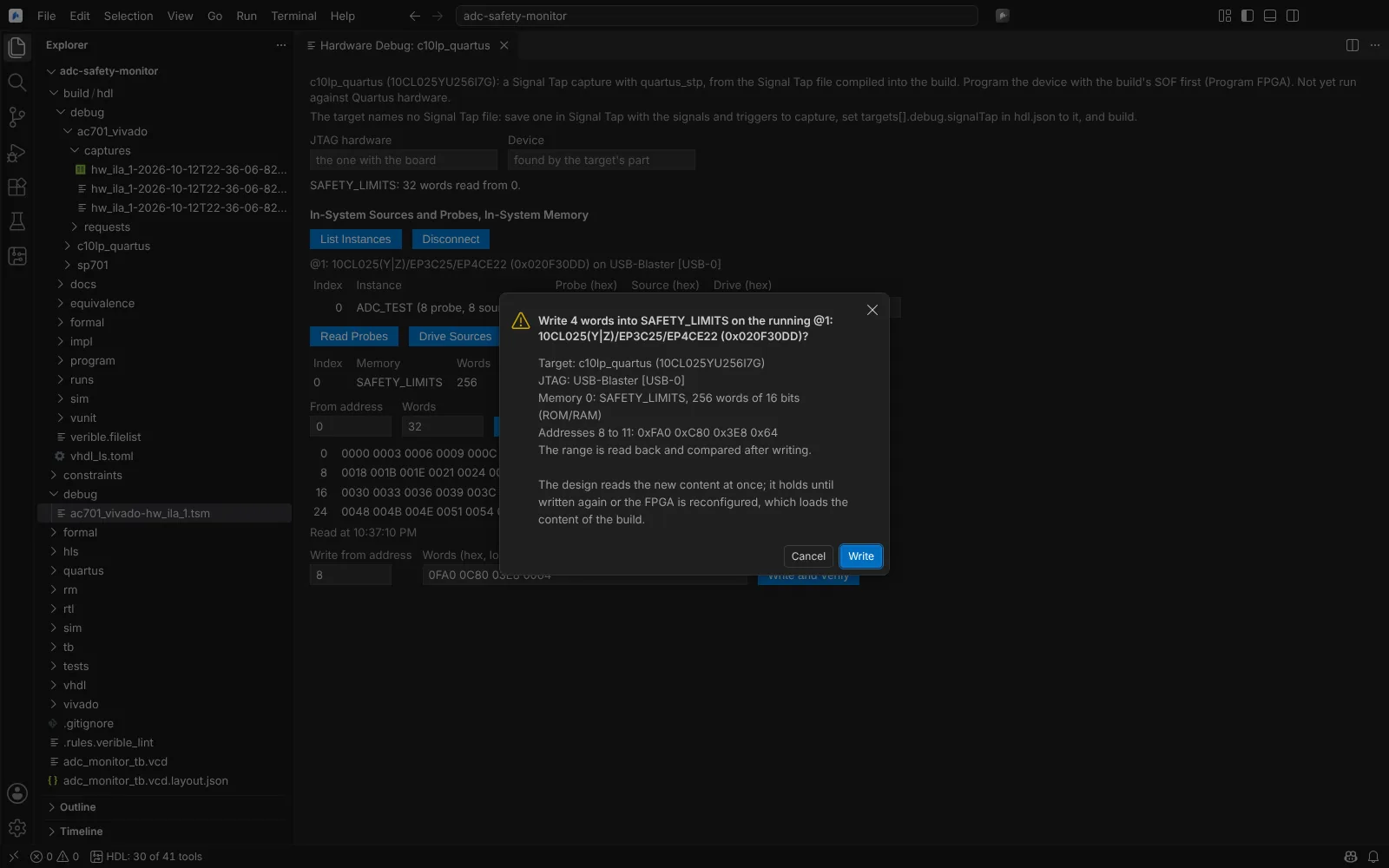 A Quartus In-System Memory write waiting for confirmation, with the target, cable, addresses and values
State: kit shipped (needs an Intel board).
Lattice Reveal
A Lattice target's debug block (probes, sample clock, depth 16 to 65536, trigger units with == or !=, trigger expressions) is written as a Reveal Inserter project (.rvl) and added to Radiant's batch build.
In Open Hardware Debug, the Reveal panel reads the core the build inserted and sets the trigger units, expressions, samples per trigger, number of triggers, cable and port. Write Analyzer Files writes Reveal Analyzer's settings (.rvs) and project (.rva) after you confirm; Import Capture reads a Reveal capture (.trc) into the waveform viewer. The trigger run itself happens in Reveal Analyzer, because Radiant's batch command for it is not documented.
State: kit shipped (insertion); modelled (Analyzer files, captures); readers and writers tested on real Reveal files from public projects.
Libero SmartDebug
After programming, SmartDebug runs in batch (run_tool -name {SMARTDEBUG} -script): ID code, device status, active probes read and written, live probes, and LSRAM and uSRAM reads. Each run asks you first, because it touches hardware. The output of the active probe and device status reads is shown as Libero writes it.
State: kit shipped (a read-only pass in the Libero kit's programming step).
Serial I/O
Open Serial I/O Analyzer (IBERT, Transceiver Toolkit, SmartDebug):
| Vendor | What it does |
|---|---|
| Vivado (IBERT) | In the connected hardware session: detect GT channels; create and remove links, including loopback pairs; set TX and RX pattern, loopback, swing and pre- and post-cursor (read back after commit); reset TX, RX or the error counters; read BER and link status; run 2-D eye and bathtub scans, saved as CSV and drawn as an eye plot beside the link table and the eye figures. Create IBERT Example Design from the IP Catalog's IBERT .xci |
| Quartus (System Console) | A persistent system-console -cli --script session: Transceiver Toolkit channel settings, link tests with BER, EyeQ sweeps, and JTAG-to-Avalon master reads and writes |
| Libero (SmartDebug) | SerDes lane actions in batch: SmartBERT, loopback, lane reset, static pattern, signal integrity, eye plot |
An eye scan CSV written by Vivado can be opened and drawn on its own. Every change to a running board asks you first.
State: kit shipped (Vivado on an AC701 GTP in loopback, Quartus on a board with transceivers); modelled (Libero); the eye-scan reader tested on real Vivado scan CSVs.