Verification state: verified on Linux with GnuCOBOL 3.1.2 as oracle: the payroll programs and copybooks formatted with two layouts, renumbered, and renumbered then unnumbered give the same cobc -E source, compile, and write the same report; quick fixes print what the free-format statements print; keys tested through the real keybinding resolver. The column 72 marker, its quick fix and Renumber Sequence Area were checked in the running app. Tab and Enter, comments, upper case and Format Document have not been exercised in the running app. A line with a tab character is never edited by column.
Colouring and rulers
COBOL and JCL are coloured in the reference format: the sequence, indicator and identification areas, comment and debug lines, paragraphs and sections, level numbers, PICTURE strings, EXEC SQL across lines; JCL names, operations, parameters, symbols, trailing comments, sequence numbers and in-stream data. Rulers mark columns 7, 8, 12 and 72. Copybooks (.cpy) are claimed as COBOL ahead of other languages that use the extension. Colouring is always available.
Keys by column
| Key or command | What it does |
|---|---|
| Tab (Tab to the Next COBOL Tab Stop) | Moves to the next tab stop: 7, 8, 12, then every fourth column to 72. neuralInverse.mainframe.cobol.tabStops sets them |
| Shift+Tab (Back to the Previous COBOL Tab Stop) | Moves back one tab stop |
| Enter (New Line in Mainframe Columns) | Keeps a statement's Area B indentation, keeps columns 73 to 80 on their line, and continues JCL in column 16 |
| Ctrl+/ (Toggle Line Comment in Column 7) | An asterisk in column 7 for COBOL, //* for JCL |
| Ctrl+K Ctrl+C, Ctrl+K Ctrl+U | Add Line Comment in Column 7, Remove Line Comment in Column 7 |
| Shift+Alt+A, Ctrl+Shift+A on Linux (Toggle Block Comment by Lines) | Comments or uncomments the selected lines |
Text past column 72
Text past column 72 (COBOL) and operands past column 71 (JCL) appear in Problems as you type. Quick fixes continue a literal, move the overflowing words to a new Area B line, or continue the JCL statement; they never cut text.
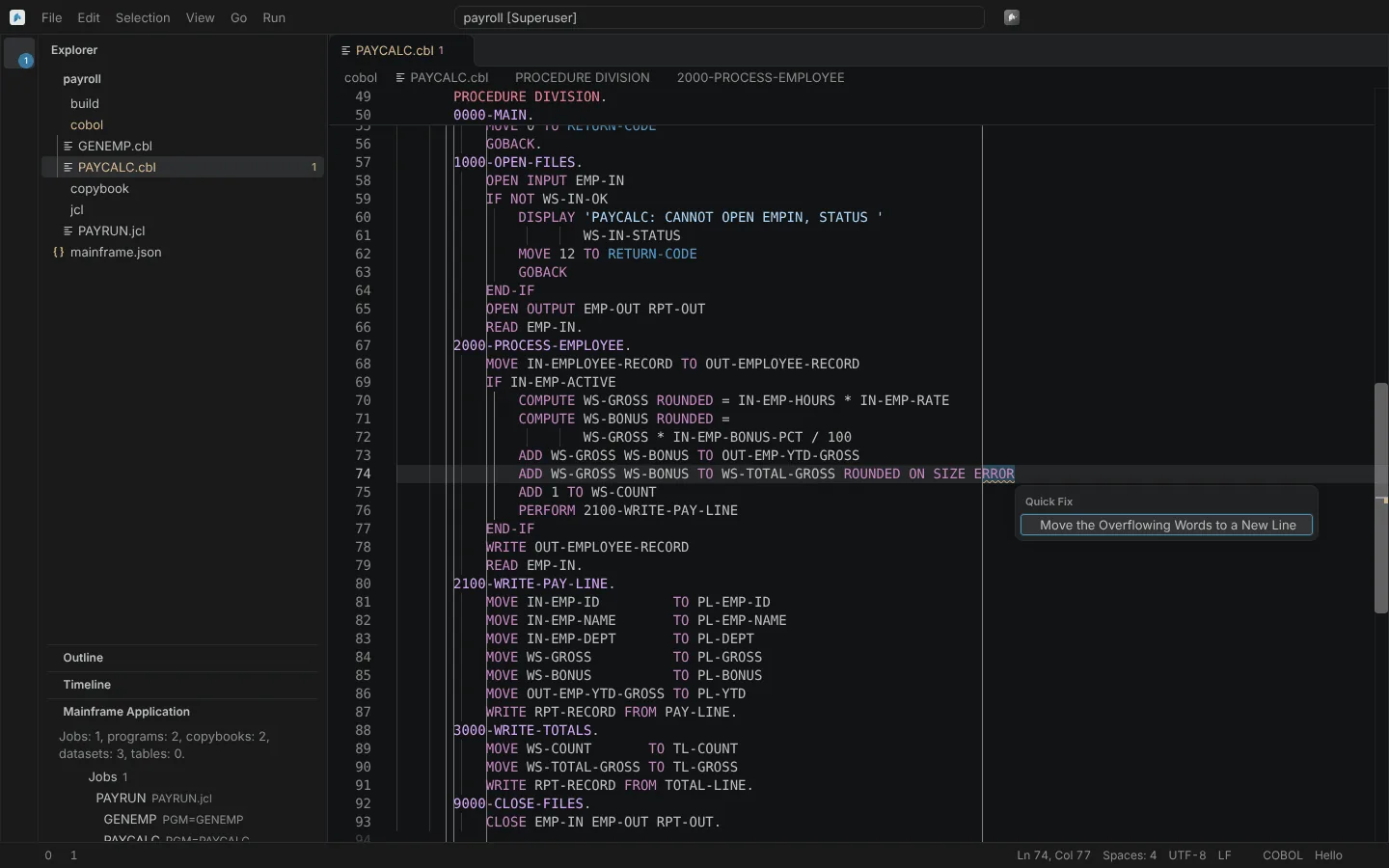 Text past column 72 flagged in the editor, with the quick fix that moves the overflowing words to a new line.
Sequence numbers
- Renumber Sequence Area (ISPF RENUM) numbers the sequence field from
neuralInverse.mainframe.sequenceNumbers.start(100) byneuralInverse.mainframe.sequenceNumbers.step(100). - Remove Sequence Numbers (ISPF UNNUM) blanks them.
neuralInverse.mainframe.cobol.sequenceNumberFieldschooses where both work in COBOL: columns 1 to 6 (ISPF NUMBER ON COBOL, the default), columns 73 to 80 (NUMBER ON STD) or both. JCL has sequence numbers in columns 73 to 80 only.
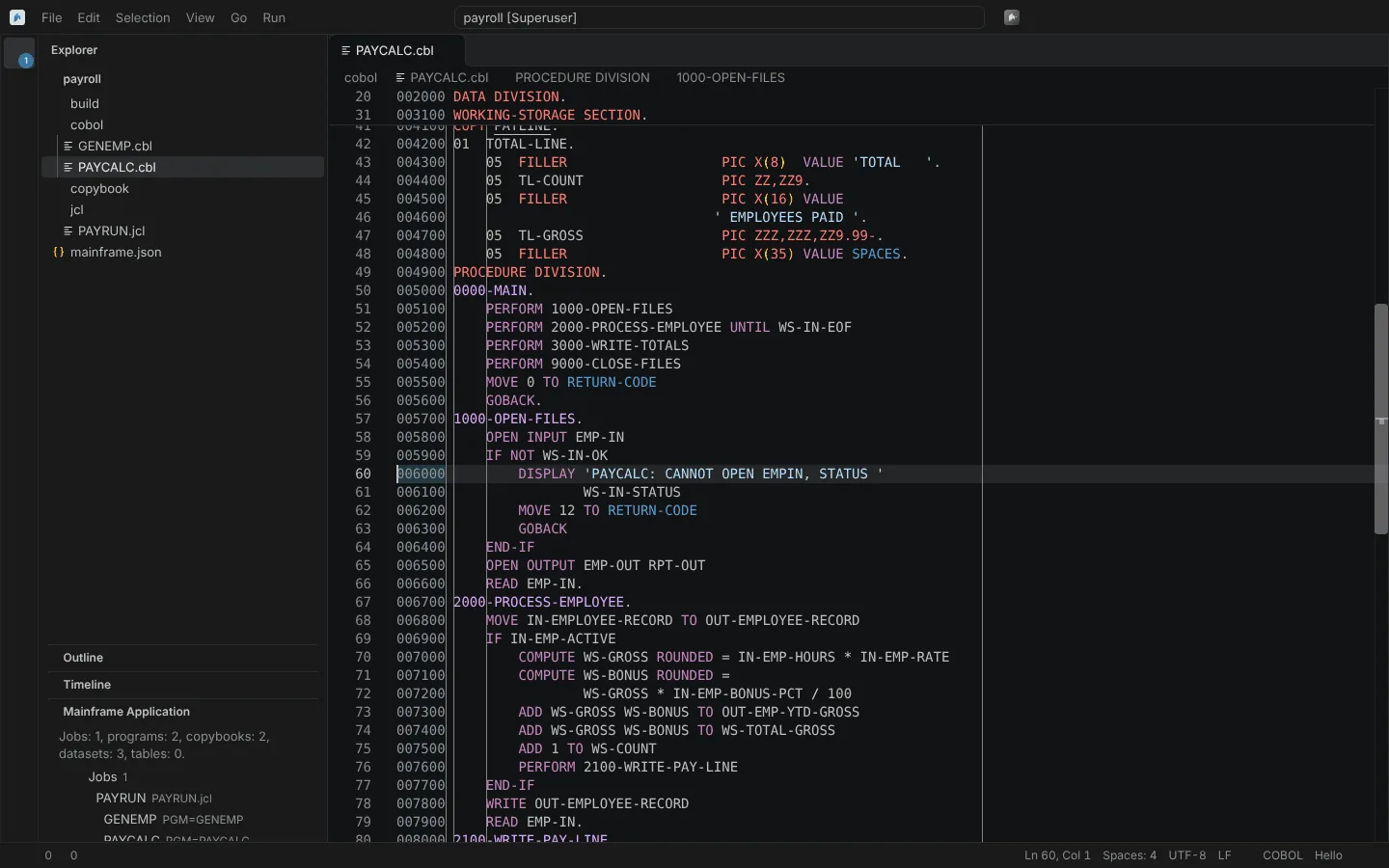 A sample program after Renumber Sequence Area, with numbers in columns 1 to 6.
Upper case
Convert Program Text to Upper Case upper-cases the program text, keeping literals, comments, the identification area and COPY names as they are.
Format Document
Format Document and Format Selection lay out fixed-format COBOL: levels indented by depth, PICTURE at the project's column, nested statements indented. A PROCEDURE DIVISION whose scopes do not close as COBOL closes them is left as written.
| Setting | Default | Meaning |
|---|---|---|
neuralInverse.mainframe.cobol.format.pictureColumn | 0 | The column PICTURE clauses (and the VALUE of level-88 entries) align to; 0 keeps the column most of the document's PICTURE clauses already use |
neuralInverse.mainframe.cobol.format.levelIndent | 4 | Indent per level |
neuralInverse.mainframe.cobol.format.statementIndent | 4 | Indent per nested statement |
A project's layout key in mainframe.json (pictureColumn, levelIndent, statementIndent) takes precedence, so the shop's standard travels with the repository.
The ISPF editor's prefix area and command line are on The ISPF editor and key presets.